Tutorials
How to Scrape Google Maps: A Step-by-Step Tutorial for Business Leads (2026)
Scrape Google Maps without code: every business in an area with phones, emails, websites and owners. Every option explained, searches and AI prompts to copy, and what it costs.
- Author
- Shehriar Awan
- Published
- 9 Nov 2026
- Reading time
- 21 min
- Filed under
- Tutorials
Contents12 sections
- 1The short version
- 2What data you can get from Google Maps
- 3Is it legal to scrape Google Maps?
- 4Before you start
- 5Step by step: every option explained
- 6Use it from Claude, ChatGPT or any AI assistant
- 7Copy these searches
- 8Automate it
- 9How much it costs
- 10Tips and troubleshooting
- 11FAQ
- 12Need more than a scraper?
Google Maps lists almost every local business in the world, with its phone number, website, address, opening hours and reviews. That makes it the best starting point for a lead list. But Google gives you no button to download it, and a search stops at 200 places.
This tutorial shows you how to scrape Google Maps without writing code, using Keklik Google Maps Leads Scraper. It walks through every option the scraper has, gives you searches you can copy (each with a ready-made prompt for Claude or ChatGPT), and shows exactly what it costs.
The short version
- Open Keklik Google Maps Leads Scraper on Apify and click Try for free.
- Type what you're looking for ("dentist") and where ("Austin, TX").
- Choose how many places you want, or leave it empty for all of them.
- Turn on Emails and social profiles if you want emails.
- Click Start, then download your list as Excel, CSV or Google Sheets.
You end up with a spreadsheet like this: every dentist in Austin with phone, website, email, address, rating and opening hours, in a few minutes. No Google account and no API key.
What data you can get from Google Maps
Every place comes with the basics for free, and you turn on extras when you need them.
| Data | What you get | Cost |
|---|---|---|
| Business | Name, categories, phone, website, Google Maps link, place ID, whether the owner has claimed the listing, open or closed | Included |
| Address and location | Full address, street, city, postcode, state, country, coordinates, neighborhood, the mall or building it's inside, name and address in the local language | Included |
| Hours and ratings | Opening hours per day, open now, holiday notes, rating, number of reviews, price level, the About tab (accessibility, payments, amenities) | Included |
| Emails and social profiles | Emails from the business's own website (checked), more phones, WhatsApp, Facebook, Instagram, LinkedIn, X, TikTok, YouTube, Pinterest, Discord, Yelp, Tripadvisor, Foursquare | Add-on ($) |
| Company details (mainly Europe) | Legal name, company and VAT numbers, owners and managing directors | Included with emails |
| Place details | Star breakdown, review topics, delivery and takeout services, owner's latest posts, price per person, Street View link | Add-on ($) |
| Reviews | Text, rating, date, owner's reply, reviewer (optional) | Add-on ($) |
| Photos | Full-size photos and videos, with labels and authors | Add-on ($) |
Is it legal to scrape Google Maps?
Google Maps Leads Scraper collects public business information: what anyone can see on Google Maps and on a business's own website, without logging in. Business data such as a company's name, phone and address is generally fine to collect.
Names of people are personal data. That covers reviewers, photo authors, and the owners named in company details. If you work under GDPR or similar laws, you need a legal basis to use them. Every one of these fields has a switch to leave it out (we cover them below). This isn't legal advice. If you're unsure, ask a lawyer about your use.
Before you start
You need a free Apify account. Apify is the platform the scraper runs on. The free plan gives you $5 of usage every month, which is enough for about 1,100 places with emails. You don't need a Google account, a Google Maps API key or any code.
Step by step: every option explained
The scraper's form opens with just what a first run needs. Everything else sits in sections below it. Here's every option, in the order you'll see it.
Step 1: Search terms
Type what you'd search for on Google Maps, one per line: "dentist", "italian restaurant", "plumber". Every term is searched in every location, so 3 terms in 2 cities makes 6 searches.
Tip: use the words your customers would type. "Dentist" finds more than "dental practice". Add variations on separate lines; places found twice are kept once.
Step 2: Locations
Add the cities, districts, postcodes or regions to search, one per line: "Austin, TX", "Brooklyn, NY", "75011 Paris".
Google Maps only shows 200 places per search, but the scraper isn't limited by that. It covers the whole area, so a big city gives you thousands of results, not 200.
Tips:
- Add the state or country to names that exist in many places: "Paris, TX", not "Paris".
- Use postcodes or districts when you want a precise area.
Step 3: Max places per search, and Max places in total
Max places per search sets how many places to get for each search term in each location. Leave it empty to get every place in the area. A big city can have thousands of dentists.
Max places in total caps the whole run, across every term and location. It's the simplest way to control the cost of a run.
Step 4: Emails and social profiles ($)
Turn this on and the scraper visits each place's own website. It reads the home page plus up to 3 contact, about and legal pages, and brings back:
- Emails, each with free checks: real addresses on domains that receive mail, with no no-reply or throwaway ones, and obvious typos like gmial.com fixed. Each email is labelled with its mail provider, whether it's a role address (info@, sales@) and whether it's on the business's own domain.
- More phone numbers and a WhatsApp link.
- Social profiles: Facebook, Instagram, LinkedIn, X, TikTok, YouTube, Pinterest, Discord.
- Review sites: Yelp, Tripadvisor and Foursquare pages.
- Company details: in Europe, the company's legal name, registration and VAT numbers, and its owners or managing directors by name. It's strongest in Germany, Austria and Switzerland.
You only pay for places whose website gave something. Places without a website, or whose site has nothing, are free.
Step 5: Language
Pick the language for categories, opening hours and reviews. Business names stay as the business wrote them. When Google translates a place's name, you also get the original in local_name: "一蘭 渋谷店" next to ICHIRAN Shibuya.
Step 6: Categories and filters (free)
Filters keep only the places you want. They cost nothing, and places they leave out aren't charged.
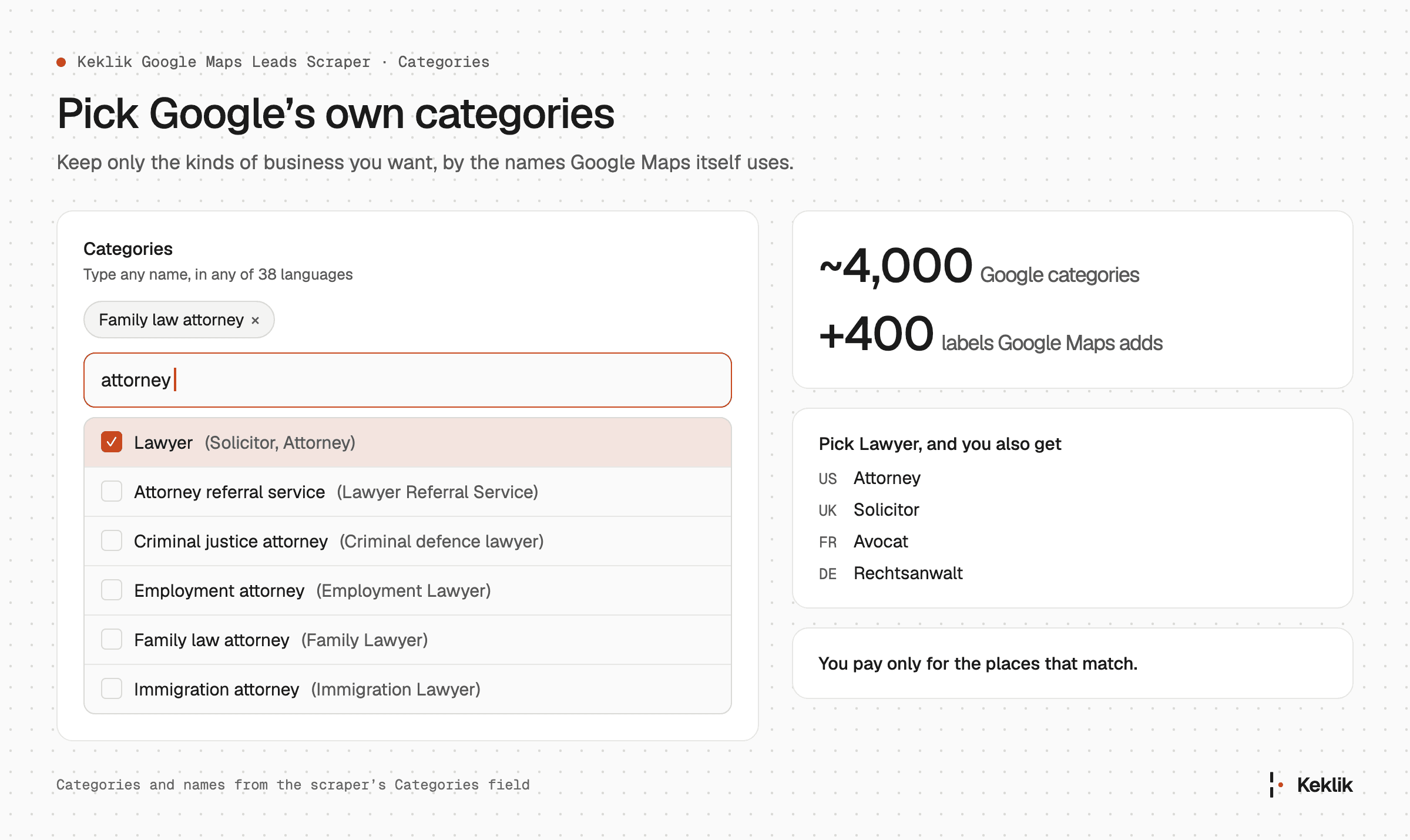
- Categories. Pick from Google's own categories, about 4,000 of them plus 400 more labels Google Maps uses. Pick Orthodontist and Pediatric dentist to keep only specialists from a dentist search. Local names count: Lawyer also finds Attorney and Solicitor. With no search term, each category is searched by its own name.
- Website. Only places with a website, or only places without one. Places with no website are leads for web designers.
- Phone. Only places with a phone, or only those without one.
- Min rating and Max rating. Keep places with at least 4.0 stars, or at most 3.0 (businesses with unhappy customers, for reputation agencies). Places with no rating yet are kept by Max rating.
- Min reviews and Max reviews. Keep established businesses, or new and small ones.
- Claimed by owner. Only places whose owner manages the listing, or only unclaimed ones (often leads for local marketing).
- Name filter. Any name, name contains the search term ("Starbucks" finds "Starbucks Coffee"), or name is exactly the search term. Useful for counting a brand's locations.
- Skip closed places. Leave out places marked temporarily or permanently closed.
Step 7: Email options
These apply when Emails and social profiles is on.
- Skip places without an email. Keep only places that gave an email. The others aren't charged.
- Email verifier (your own account). Pick your verification service (Reoon, ZeroBounce, NeverBounce, MillionVerifier, DeBounce, Truelist, Bouncer or BounceBan) and paste its API key. Every email is checked for a real mailbox before it reaches your list, using your own credits with that service. The scraper charges nothing extra. Bouncer and BounceBan can also check catch-all domains, which accept any address.
- Emails to verify. Every email found, or only the first email of each place, to save credits.
- Leave out invalid emails. On by default. Turn it off to keep invalid emails, marked as such.
- Names in company details. On by default. Turn it off to leave out owners' and managing directors' names; the company's details stay.
Step 8: Reviews ($)
Reviews per place adds each place's reviews to its row: text, rating, date, the owner's reply with its date, and whether the review was edited.
- Reviews order: newest, most relevant, highest or lowest rated.
- Reviews newer than: a date, or a period such as "6 months".
- Reviews mentioning: only reviews that mention one of your words, such as "parking", "delivery" or "rude".
- Reviewer names and profiles: turn off to leave out who wrote each review.
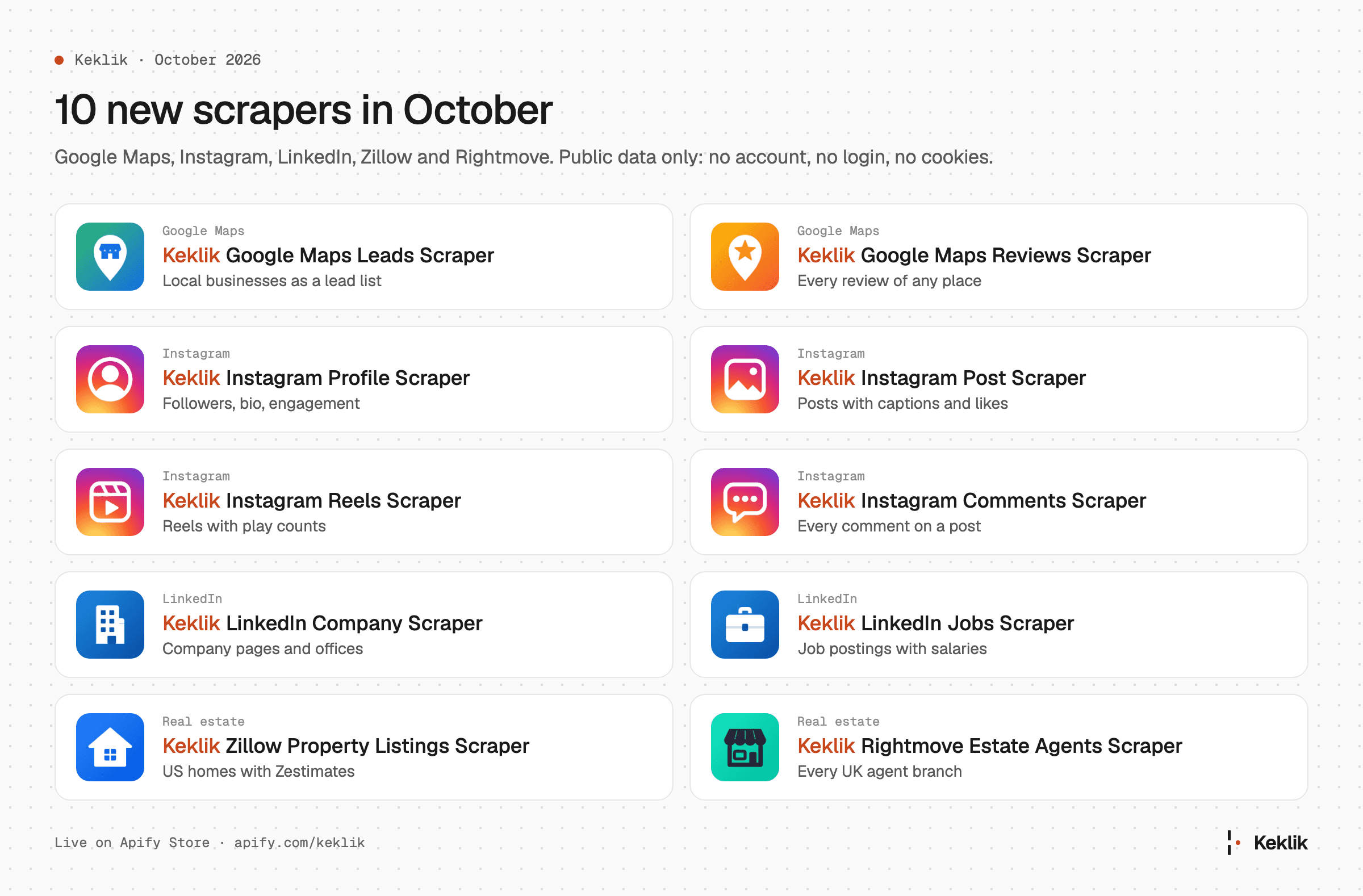
For thousands of reviews per place, use our Keklik Google Maps Reviews Scraper instead.
Step 9: Place details ($)
Place details adds more from each place's own Google Maps page:
- how many 1 to 5 star reviews it has
- the topics its reviews mention most
- delivery and takeout services and hours
- the owner's latest posts and offers
- a price-per-person estimate from reviewers (restaurants, bars, cafés)
- a Street View link
Step 10: Photos ($)
Photos per place adds up to 200 of each place's photos at full size. Each is marked photo, video or 360, with where it came from (visitors and the business, a hotel partner, or Street View). Google's labels come along where it gives them: Inside, Outside, Food & drink, Team, Vibe, Products. Videos found among your photos come along on top of the number you set.
Photo authors (free, off by default) adds who posted each photo, whether it was the business itself, and when it was taken and uploaded. It makes runs slower, and authors' names are personal data, so turn it on only when you need it.
Step 11: Shops inside malls and airports
Businesses inside each place adds every business listed in a mall's, airport's or station's Google Maps directory, one row each, with the section it's listed under (Clothing, Food & Drink...). A big mall lists 150 to 250 businesses. Max businesses per place caps that.
Your filters apply to them too. Search "shopping mall", pick Shoe store in Categories, and you get the shoe shops inside the malls.
Step 12: Every place in an area
Every place in the locations gets every business in each location, of any kind (shops, restaurants, offices, clinics), with no search term needed. Big cities have tens of thousands of places, so start with a district or postcode, or set Max places per search.
Step 13: Search around an address
- Near and Radius: search a circle around an address or coordinates, such as "500 Congress Ave, Austin, TX" with 5 km. Only places inside the circle are kept. 1 mile is 1.6 km.
- Country, State, County, City, Postal code: give a location as separate parts when a name exists in many places (Springfield).
Step 14: Google Maps links or place IDs
Already have places? Paste Google Maps links: a place's link gives that place, and a search link gives the places in the map area it shows. Or paste Place IDs (they start with ChIJ), such as an earlier run's place_id column, to refresh them.
Step 15: Advanced
- Only places inside the location (on by default): a Brooklyn search leaves out Queens next door. Turn it off to also keep places around the edges.
- Only places of the searched type (on by default): leaves out unrelated places Google mixes in, such as osteopaths in a dentist search.
- Custom area (GeoJSON): draw any area at geojson.io (a sales territory, a delivery zone) and paste it. Only that area is searched, so you don't pay for the map outside it.
Step 16: Run it and download your list
Click Save & Start. You can watch places arrive in the Output tab while the run works. To cap your spending, set a Maximum cost per run in the run options: the run stops cleanly when it reaches it and keeps everything saved so far.
When it's done, click Export to download your list as Excel, CSV, JSON or HTML, or send it to Google Sheets. The Output tab has ready-made views (Business, Contacts, Emails and social profiles, Company details, Reviews, Photos), so each export only has the columns you need.
Use it from Claude, ChatGPT or any AI assistant
You don't have to fill in the form at all. Apify's MCP server connects AI assistants to the scraper, so you can ask in plain words and get the list back in the chat.
Set it up once (about 2 minutes)
- Claude (desktop or claude.ai): open Settings > Customize > Connectors, then Add > Add custom connector. Name it Apify and paste this URL:
https://mcp.apify.com?tools=actors,keklik/google-maps-leads-scraper - ChatGPT: open Plugins (under Customize in the sidebar), then Add > Add custom MCP server. Name it Apify, paste the same URL under Connection, keep OAuth, and tick I understand and want to continue.
- Cursor, VS Code, Claude Code and other MCP apps: add the same URL as a remote MCP server.
- Sign in to Apify when your browser opens. That's it.
The URL gives your assistant Google Maps Leads Scraper plus Apify's tools to find and run other Actors. Use plain https://mcp.apify.com if you want everything.
Always set a budget
AI assistants run things fast. Tell yours the most it may spend ("max cost $5"). The scraper stops cleanly at that amount and keeps everything it found.
Copy these searches
Each recipe has the input to paste into the form's JSON editor (or send through the API), and a prompt to paste into your AI assistant. Every recipe stops at 10 places, so a first try costs a few cents. When you like what you see, remove "maxResults": 10 (or tell your assistant how many you want) to get every match, which can be thousands in a big city.
1. Every dentist within 5 km of an address, with emails
{
  "searchTerms": ["dentist"],
  "radiusCenter": "500 Congress Ave, Austin, TX",
  "radiusKm": 5,
  "contactDetails": true,
  "minRating": "4.0",
  "maxResults": 10
}Use Keklik Google Maps Leads Scraper to find every dentist within 5 km of 500 Congress Ave, Austin, TX, rated 4.0 or more, with emails from their websites. Stop at 10 places. Give me a table with name, phone, email, website and rating.
What you get: without the cap, this search found 102 dentists rated 4.0 or more within 5 km of downtown Austin, in about a minute. All have a phone, 90 a website and 34 an email from their website. Most are general dentists, with 11 cosmetic and 6 pediatric dentists among them.
2. Barber shops with no website (leads for web designers)
{
  "searchTerms": ["barber shop"],
  "locations": ["Austin, TX"],
  "websiteFilter": "without",
  "phoneFilter": "with",
  "maxResults": 10
}Use Keklik Google Maps Leads Scraper to list barber shops in Austin, TX that have a phone number but no website. Stop at 10 places. Give me name, phone, address, rating and number of reviews.
What you get: without the cap, 94 barber shops in Austin with a phone number and no website. That's 94 businesses to call about a website.
3. Businesses with unhappy customers (leads for reputation agencies)
{
  "searchTerms": ["car repair"],
  "locations": ["Phoenix, AZ"],
  "maxRating": "3.5",
  "minReviews": 10,
  "contactDetails": true,
  "maxResults": 10
}Use Keklik Google Maps Leads Scraper to find car repair shops in Phoenix, AZ rated 3.5 stars or less with at least 10 reviews, with their emails. Stop at 10 places. Sort them by rating, lowest first.
What you get: without the cap, 16 car repair shops in Phoenix rated between 2.4 and 3.5 stars with at least 10 reviews, 14 with a website and 3 with an email. Most shops are rated higher, so a short list like this is normal.
4. German law firms with the owner's name and company number
{
  "searchTerms": ["Rechtsanwalt"],
  "locations": ["München"],
  "language": "de",
  "contactDetails": true,
  "maxResults": 10
}Use Keklik Google Maps Leads Scraper to find 10 law firms (Rechtsanwalt) in Munich with emails and company details. Give me the firm, its legal name, the managing partner or owner, the register number, email and phone.
What you get: with a cap of 200, 200 law firms in under 3 minutes. 148 came with an email, 71 came with an owner or partner by name, and 28 gave a register number. Their categories are in German (Rechtsanwalt, Strafverteidiger, Anwalt für Arbeitsrecht) because the language is set to German.
5. Every shoe shop inside a city's malls
{
  "searchTerms": ["shopping mall"],
  "locations": ["Austin, TX"],
  "placesInside": true,
  "categories": ["Shoe store"],
  "maxResults": 10
}Use Keklik Google Maps Leads Scraper to find every shoe store inside the shopping malls of Austin, TX. Turn on businesses inside each place. Stop at 10 shops. Group them by mall.
What you get: without the cap, 130 places that sell shoes inside Austin's malls and shopping centers: 46 shoe stores, plus clothing and department stores Google also lists as shoe stores. Barton Creek Square alone has 31, The Domain and Lakeline Mall 16 each.
6. Your own sales territory
Draw your territory at geojson.io, copy the GeoJSON, and paste it into Custom area:
{
  "searchTerms": ["accountant"],
  "customArea": {
    "type": "Polygon",
    "coordinates": [[[-97.80, 30.22], [-97.70, 30.22], [-97.70, 30.32], [-97.80, 30.32], [-97.80, 30.22]]]
  },
  "contactDetails": true,
  "maxResults": 10
}Use Keklik Google Maps Leads Scraper to find every accountant inside this area: [paste your GeoJSON]. Include emails. Stop at 10 places.
What you get: without the cap, 174 accountants, bookkeepers and tax preparers inside that rectangle of Austin in about 2 minutes: 163 with a phone, 128 with a website and 57 with an email.
7. Every business in a district, whatever its kind
{
  "allPlaces": true,
  "locations": ["Shoreditch, London"],
  "maxResults": 10
}Use Keklik Google Maps Leads Scraper to list 10 businesses of any kind in Shoreditch, London, with their category, phone and website.
What you get: without the cap, 8,427 businesses in Shoreditch in about 12 minutes, 5,650 with a phone and 5,930 with a website. They range from agencies, software companies and recruiters to estate agents, shops and short-term rentals. With the cap, the first 10 arrive in under 20 seconds.
Automate it
Once a search works, you can run it again and send the results wherever you need them, still without code.
- Save it as a task. Click Save as task to keep your input, then run it whenever you like.
- Schedule it. Run the task every week or month, so your list stays fresh as businesses open and close.
- Google Sheets, Drive and Slack. Apify's built-in integrations send each run's results on.
- Make, Zapier and n8n. Apify has native modules for all three: start a run, or react when one finishes and push the rows into your CRM (HubSpot, Salesforce, Pipedrive), a sheet or an email tool.
- Webhooks. Get a call to your own app when a run finishes.
- The API. Start a run and get the results in one call:
curl -X POST "https://api.apify.com/v2/acts/keklik~google-maps-leads-scraper/run-sync-get-dataset-items?token=YOUR_APIFY_TOKEN" \
  -H "Content-Type: application/json" \
  -d '{"searchTerms": ["dentist"], "locations": ["Austin, TX"], "maxPlacesPerSearch": 50}'
Apify also has client libraries for Python and JavaScript, and packages for LangChain and LlamaIndex. Your API token is in Apify Console under Settings > API & Integrations.
How much it costs
Google Maps Leads Scraper charges per result: per place, plus each extra you turn on. Filters are free, and places they leave out cost nothing. The price already includes Apify's servers and proxies, so there's no separate usage bill.
Prices per 1,000, by Apify plan:
| Free | Starter | Scale | Business | |
|---|---|---|---|---|
| Place (every row) | $3.00 | $2.25 | $1.50 | $1.10 |
| Emails and social profiles (only places whose website gave something) | $1.50 | $1.50 | $1.10 | $0.80 |
| Place details | $1.50 | $1.50 | $1.10 | $0.80 |
| Review | $0.40 | $0.35 | $0.28 | $0.20 |
| Photos (each place that gets photos) | $1.50 | $1.00 | $0.75 | $0.55 |
| Filters, company details, photo authors | Free | Free | Free | Free |
How it fits with your Apify plan
You pay Apify a monthly plan. Each plan includes that much usage every month, and the scraper's charges come out of it:
| Apify plan | Per month | Usage included | Places with emails it covers* |
|---|---|---|---|
| Free | $0 | $5 | about 1,100 |
| Starter | $19 | $19 | about 5,000 |
| Scale | $199 | $199 | about 76,000 |
| Business | $999 | $999 | about 525,000 |
*Place plus emails at that plan's prices, before any other Actors you run. On paid plans you can go past the included usage and pay the rest on your next invoice, up to a limit you set. Annual billing saves 10%.
Compared with the top 3 Google Maps scrapers on Apify
Example: 1,000 dentists with emails, keeping only those rated 4.0+ (one filter).
| On the Starter plan | Place | Emails | 1 filter | Total |
|---|---|---|---|---|
| Keklik Google Maps Leads Scraper | $2.25 | $1.50 | free | $3.75 |
| compass/crawler-google-places | $3.00 | $2.00 | $1.00 | $6.00 |
| lukaskrivka/google-maps-with-contact-details | $4.00 | $2.00 | $1.00 | $7.00 |
| compass/google-maps-extractor | $4.00 | $3.00 | $1.00 | $8.00 |
On the Free plan, the same list costs $4.50 with us against $7.00, $9.00 and $10.00. Each added filter costs the others another $0.53 to $1.50 per 1,000 places, depending on the plan; ours stay free. Their prices are the ones each Actor declares on Apify, checked on 9 November 2026.
What else you get with us at no extra cost:
- Every filter, including Categories and exact name match.
- Free email checks on every email (mail server, no-reply and throwaway addresses, typo fixes), plus your own verifier if you have one.
- Company details: company numbers, VAT and owners, with emails.
- Search around an address or in a drawn area, and shops inside malls and airports.
- Holiday notes, local names, and price per person with Place details.
Tips and troubleshooting
I got fewer places than I expected.
- Check your filters, and Only places inside the location.
- Google Maps itself may simply list fewer: search the same thing on Google Maps to compare.
- For a whole city with no limit, leave Max places per search empty.
Some places have no email. Many small businesses have no website, or don't publish an email on it. Use Skip places without an email to keep only those that do; the others aren't charged.
Some places have no street address. These are service-area businesses, such as plumbers who come to you. They hide their address on Google Maps, and their rows say so.
The same business shows up twice. Places found by two search terms are kept once in a run. Across separate runs, remove duplicates by place_id.
Results are in the wrong language. Set Language. Business names always stay as the business wrote them.
Why no popular times or menus? Google now shows a limited view of Google Maps to visitors who aren't signed in, and leaves those out. We only collect public data and never log into an account, so we don't offer them.
FAQ
Can you scrape Google Maps for free? Yes, up to a point. Apify's free plan includes $5 of usage every month, enough for about 1,100 places with emails.
How many results can I get from Google Maps? As many as Google Maps lists. A Google Maps search stops at 200 places, but the scraper covers the whole area, so a city gives you every match.
Do I need a Google Maps API key? No. The scraper reads Google Maps like a visitor does. You only need an Apify account.
Can I get emails from Google Maps? Google Maps doesn't show emails, so the scraper finds them on each business's own website, then checks each one.
Can I scrape Google Maps reviews? Yes. Add reviews to each place with Reviews per place, or use Keklik Google Maps Reviews Scraper for every review of the places you choose.
Can I export to Excel or Google Sheets? Yes. Excel, CSV, JSON and HTML downloads, plus a direct Google Sheets integration.
Need more than a scraper?
Want the data done for you? We run managed web scraping: tell us what you need, and we deliver clean, checked data on your schedule, from Google Maps or any other site. Get a quote.
Missing a field, a filter or a whole scraper? Tell us. Open an issue on the scraper's Issues tab on Apify, or email support@keklik.io.
End